Android
- Browser: Chrome (current version recommended)
- Minimum: Any Android device running Chrome with HTML5 support
- Install method: Add to Home Screen via Chrome menu (three-dot icon)
App at Onlyspins in Australia: No Download Needed
The full casino, sportsbook and AUD cashier on any phone — no download, no App Store, just open and play on Android or iOS.
The full casino, sportsbook and AUD cashier on any phone — no download, no App Store, just open and play on Android or iOS.
The full casino, sportsbook and AUD cashier on any phone — no download, no App Store, just open and play on Android or iOS.
Launch on Mobile Must be 18+ to play. Gambling carries a risk of dependency. All bonus offers are subject to their published terms.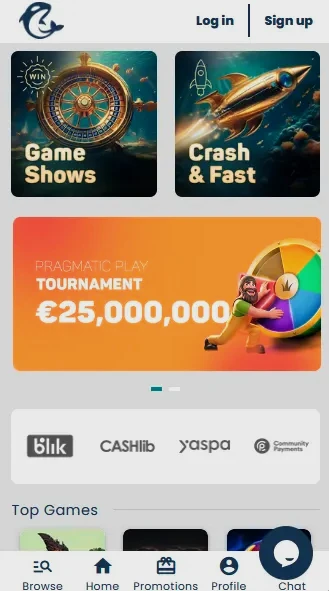
Onlyspins Mobile: What to Expect
Pros
Cons
Staying Secure on Mobile
What You Should Do
What You Should Avoid
Device Compatibility
Android
iOS
What Makes the Onlyspins Mobile Experience Stand Out
PWA — No Install Required
The Onlyspins mobile site runs as a Progressive Web App in your browser. Add it to your home screen for one-tap access without using storage space or needing an app store.
Full Game Library on Any Screen
All 12,000+ titles — pokies, live tables, jackpots and crash games — load in mobile browsers. The sportsbook covering AFL, NRL and cricket is also fully functional on mobile.
SSL and Biometric Login
Every mobile session runs over SSL encryption. Browsers with saved credentials support fingerprint or Face ID login, removing the need to type your password each visit.
How to Install Onlyspins on Your Phone
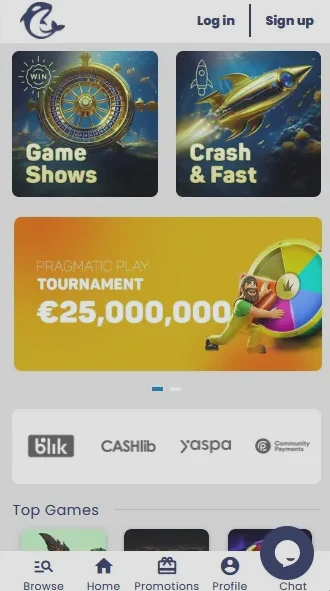
Onlyspins delivers its full platform through a Progressive Web App rather than a downloadable application. Every section available on desktop — the pokies lobby, live dealer tables, sportsbook, cashier, account management and bonus tracker — is accessible in the mobile browser without any reduction in game availability or feature set.
The mobile version preserves the desktop filtering system, so you can browse by provider, sort by category and apply tags such as Megaways, jackpot and bonus buy directly from your phone screen. Session recovery handles connection drops automatically, meaning a spin or live bet in progress is not lost if your mobile signal cuts briefly. The cashier functions identically to the desktop version, including PayID deposits that complete within seconds through your banking app.
There are two practical differences between the mobile PWA and the desktop experience. The first is screen layout: the lobby tiles, navigation menu and game controls resize to fit the display, and multi-column lobby views collapse to a single-column scrollable format. The second is push notifications: these are only available if you have added the Onlyspins shortcut to your home screen, not when accessing the site directly through the browser address bar. No game content or account feature is removed on mobile.
The full catalogue of 7,500+ pokies runs on HTML5 and loads in the mobile browser without a plugin. This includes high-volatility titles such as Gates of Olympus (Pragmatic Play, 96.5% RTP), Tombstone R.I.P. from Nolimit City and Starlight Princess from Pragmatic Play; medium-volatility options including Sweet Bonanza (Pragmatic Play, 96.5% RTP) and Big Bass Bonanza (Pragmatic Play, 96.71% RTP); Megaways titles from Big Time Gaming such as Bonanza Megaways; and bonus-buy pokies from Hacksaw Gaming, Play’n GO and others. Demo mode is available on most titles so you can assess volatility before committing real-money bets.
All Evolution Gaming and Pragmatic Play Live tables stream at full resolution on modern mobile hardware. Lightning Roulette, Infinite Blackjack and Immersive Roulette from Evolution Gaming are accessible via the mobile live casino lobby with the same betting limits as desktop. Pragmatic Play Live’s Mega Roulette and Lucky 6 Roulette run on mobile with tap-to-bet interfaces optimised for touch screens. Over 300 live tables are available, with peak traffic periods during Australian evening hours (7 pm to midnight AEDT) delivering the highest seat availability.
RNG blackjack, roulette and baccarat from the table games section load cleanly on mobile. The progressive jackpot pool for Mega Moolah from Microgaming is displayed in real time in the mobile lobby. Red Tiger Gaming’s daily-drop jackpot titles run without limitation on mobile devices.
Onlyspins has no minimum operating system version requirement beyond what is needed to run a current version of Chrome or Safari. Virtually any smartphone or tablet purchased in the last five years meets that threshold. The table below summarises the supported configurations.
| Platform | Browser | Install Method | Notes |
|---|---|---|---|
| Android | Chrome (current) | Add to Home Screen via 3-dot menu | No APK, no Play Store listing |
| iOS | Safari (current) | Add to Home Screen via Share sheet | iOS 14+ recommended |
| Tablet (Android) | Chrome (current) | Same as phone | Landscape layout supported |
| Tablet (iPad) | Safari (current) | Same as iPhone | Full lobby visible in landscape |
Open Chrome on your Android device and navigate to onlyspinspokies.com. Once the page loads, tap the three-dot menu in the upper-right corner of Chrome. Select Add to Home Screen from the dropdown. Confirm the shortcut name (Onlyspins) and tap Add. The icon appears on your home screen within a few seconds. Tap it to open the site in a full-screen browser frame without the Chrome toolbar. Log in with your registered email and password to begin your session.
Open Safari on your iPhone or iPad and go to onlyspinspokies.com. Tap the Share icon at the bottom of the screen — it looks like a square with an upward-pointing arrow. Scroll down in the share sheet until you see Add to Home Screen and tap it. Edit the shortcut name if you wish, then tap Add in the top-right corner. The Onlyspins icon appears on your home screen. Tap it to launch the site. On devices with Face ID or Touch ID and Safari’s AutoFill enabled, your credentials can authenticate with biometrics on subsequent logins.
Because Onlyspins uses a PWA rather than a native application, updates to the platform happen automatically on the server side. You never need to download or approve an update — every time you open the shortcut you are already running the current version. This also means the shortcut uses almost no device storage space.
New players can register directly from the mobile browser. Tap the Register button at the top of the homepage and complete the two-page form: email address and password on the first screen, followed by your name, date of birth, phone number, Australian residential address and currency selection (choose AUD) on the second. Tick the terms agreement and the age confirmation (18+) and submit. A verification link is sent to your email — tap it to activate your account. Once confirmed, you have immediate access to the game lobby. See the full bonus terms before your first deposit to make sure you activate the right welcome offer.
Returning players tap the Login button at the top of the mobile site and enter their email and password. If your browser has saved credentials and your device supports biometrics, Chrome on Android or Safari on iOS can complete the login with a fingerprint or Face ID scan. For step-by-step troubleshooting including password resets, visit the login page.
The full cashier is accessible on mobile including PayID, POLi (Osko/NPP), Visa, Mastercard, Neosurf, Skrill, Neteller, MiFinity, Bitcoin, Ethereum, Litecoin and Tether (USDT). PayID transfers open your banking app directly from the Onlyspins cashier page on mobile and complete in seconds with no conversion fees, since the entire transaction runs in AUD.
| Method | Deposit Speed | Withdrawal Time |
|---|---|---|
| PayID / Osko | Instant | 1-72 hours |
| Visa / Mastercard | Instant | 1-5 business days |
| Skrill / Neteller | Instant | Under 24 hours |
| Neosurf | Instant | Not available for withdrawal |
| Bitcoin / Ethereum | Under 30 minutes | 1-24 hours |
| Tether (USDT) | Under 30 minutes | 1-24 hours |
| Bank Transfer | 1-3 business days | 3-5 business days |
Every transaction submitted through the mobile cashier is processed over SSL encryption. Card details and bank credentials are not stored on Onlyspins servers after a transaction completes. AML policy requires that the same payment method be used for both deposits and withdrawals on a given account.
All data transmitted between your mobile device and onlyspinspokies.com is covered by SSL (TLS) encryption, the same standard used by online banking services. The encrypted connection applies to login, game play, cashier transactions and account management pages.
Two-factor authentication is available in the Security section of your account settings. Once enabled, a one-time code is sent to your registered mobile number at each new login. This means that access to your email and password alone is not sufficient to open a session from an unrecognised device.
On devices where Chrome (Android) or Safari (iOS) has saved your Onlyspins login credentials and the device supports fingerprint or Face ID authentication, you can unlock your saved credentials biometrically. This is handled entirely by the device’s operating system and browser — Onlyspins does not collect or store biometric data.
The full welcome package — 100% deposit match up to $750 AUD plus 200 free spins on Pragmatic Play pokies — is available to new players who register and deposit through the mobile browser. There is no desktop-only restriction on the welcome offer. The minimum qualifying deposit is $30, Skrill and Neteller deposits are excluded, and the 35x wagering requirement (deposit plus bonus) must be completed within 10 days. Players aged 18 and over only.
Live chat is available 24 hours a day, seven days a week and is accessible through the mobile site via the chat icon. Email support reaches the team at [email protected] for queries that do not require an immediate response. The Help Centre covers registration, bonuses, payments, verification and responsible gambling in a searchable FAQ format. VIP Level 4 and 5 players have a dedicated personal manager available via direct contact.
Deposit limits, loss limits, wagering limits and session time reminders are all configurable from the My Account section of the mobile site. A cool-off period can suspend account access for a defined interval without permanently closing the account. Self-exclusion requests — for a minimum period of six months — are handled through live chat support. Onlyspins enforces age verification (18+) through KYC before the first withdrawal, and any account identified as belonging to a player under 18 will be closed and winnings voided.
Mobile App Questions
No. Onlyspins does not publish a native app on Google Play or the App Store. The platform is fully accessible through Chrome on Android and Safari on iOS as a Progressive Web App, with a home screen shortcut available for app-style access.
Yes. The full pokies library including Pragmatic Play titles such as Gates of Olympus, Sweet Bonanza and Big Bass Bonanza loads in mobile browsers on both Android and iOS through the HTML5 game engine without any plugin or download.
No. Onlyspins does not distribute an official APK. Open onlyspinspokies.com in Chrome on Android and add it to your home screen using the browser menu. Any APK claiming to be Onlyspins from a third-party source is unofficial.
Add Onlyspins to Your Home Screen and Start Playing
Grab 100% up to $750 and 200 free spins.
Play at Onlyspins Must be 18+ to play. Gambling carries a risk of dependency. All bonus offers are subject to their published terms.